Cisco SPA112/SPA122 Setup
1. To enter gateway web interface enter device's IP-address in the URL bar. You can attain the device's IP address by dialing ****110#
Default login and password: admin
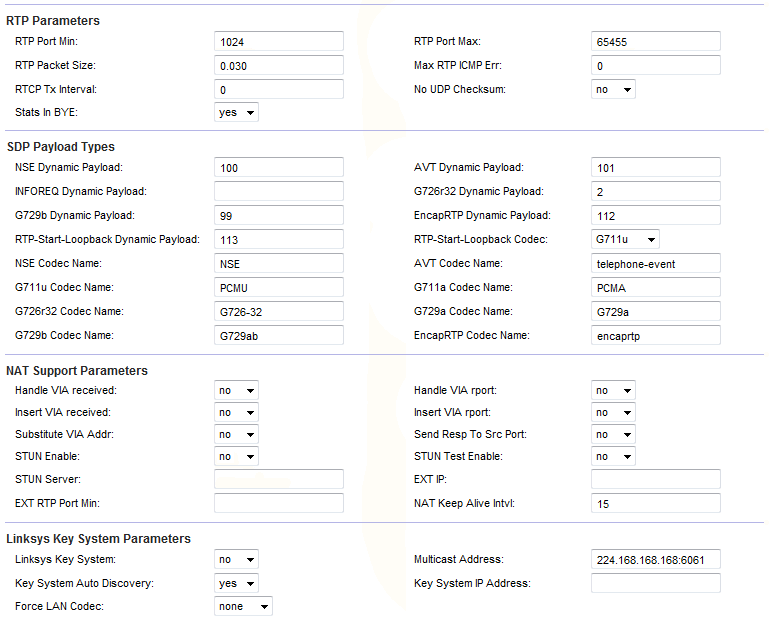
2. Open Voip - SIP and specify range of RTP ports.
RTP Port Min: 1024
RTP Port Max: 65455
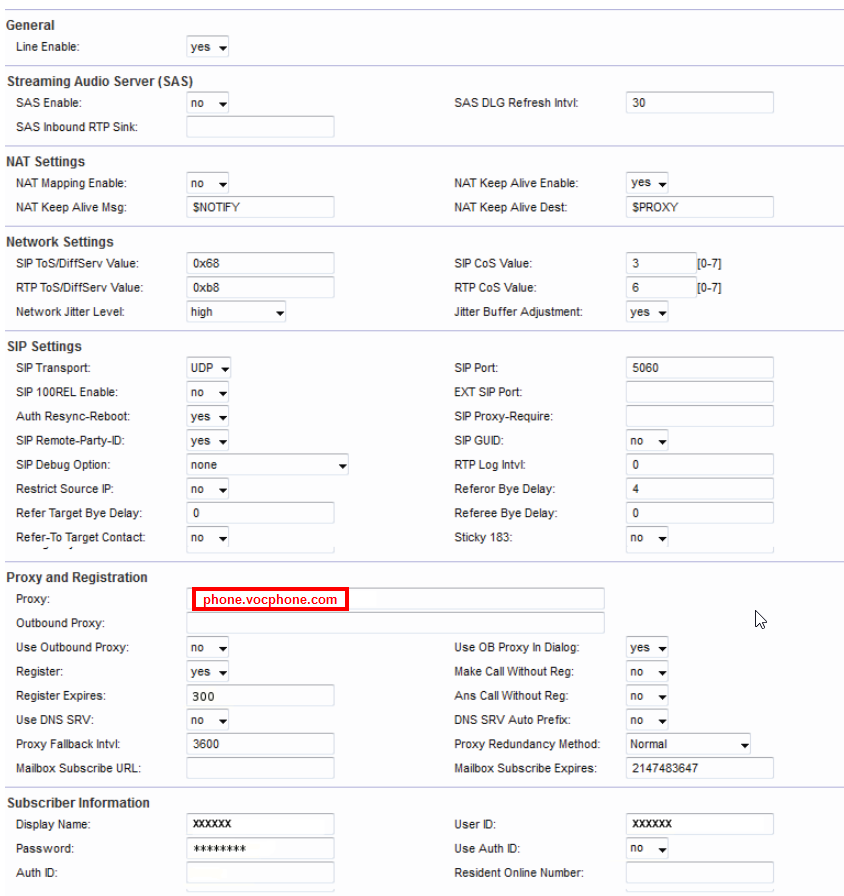
3. Open Voip - Line1 and enter the following data:
NAT Mapping Enable: no
NAT Keep AliveEnable: yes
Proxy: phone.vocphone.com
Register Expires: 65455
Display Name: SIP number (xxxxxx))
UserID SIP number (xxxxxx))
Password: Your password
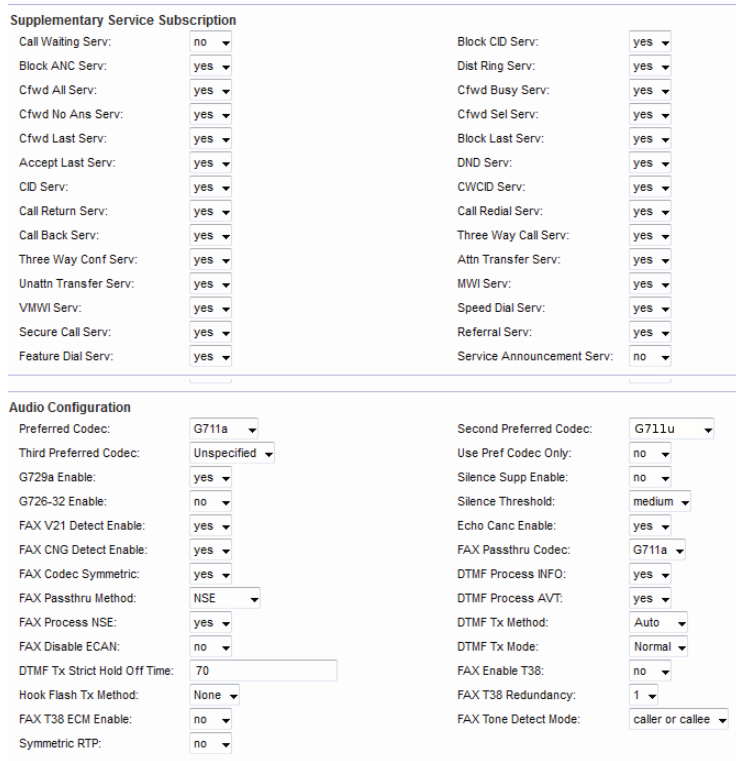
Preferred Codec: G722
DTMF Tx Method: auto
DTMF Tx Mode: normal
Dailplan: (*xx|000|2[89]XXXX|112|106S0|[2-9]xxxxxxS0|0[2-]xxxxxxxxS0|04xxxxxxxx|13xxxx|1300xxxxxx|1800xxxxxx|12xxS0|0011xxxxxx.)
To save settings click Submit