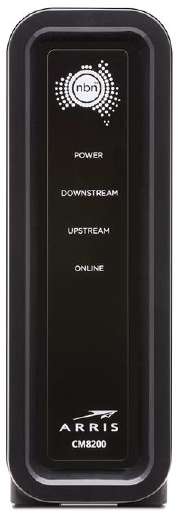
¶ nbn® HFC Connection Box Status Lights
Checking the status lights on your nbn Connection Box (NCB) for nbn HFC can be useful for troubleshooting.
¶ Arris CM3500 nbn HFC Connection Box Status lights
This model was supplied from 19 March 2025 onwards.
¶ On the back
| Light | States and meaning |
|---|---|
| Off | Off = Nothing is plugged into the 2.5G port. Green = A device is plugged in with a CAT5e or CAT6 Ethernet cable. Yellow = A device is plugged in with an older CAT5 Ethernet cable, which may not support the full speed of your nbn HFC plan. We recommend switching to a CAT5e ot CAT6 Ethernet cable. |
¶ On the front
| Light | States and meaning |
|---|---|
| Power | Off = No power. Green = Your NCB has power. |
| Downstream | Off = Your NCB is still searching for a connection, or has no power. Green = Your NCB can download data. Flashing green = A firmware upgrade is in progress - this should take 10 minutes or less. |
| Upstream | Off = Your NCB is still searching for a connection, or has no power. Green = Your NCB can upload data. Flashing green = A firmware upgrade is in progress - this should take 10 minutes or less. |
| Online | Off = No connection to the network. Green = Your nbn connection is working as expected. |
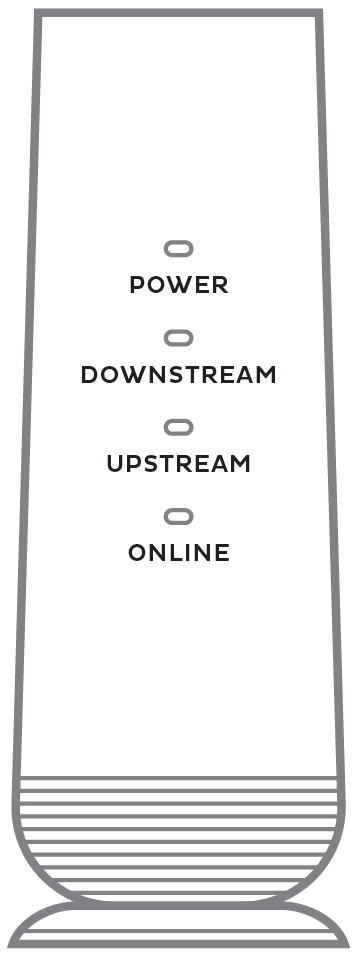
¶ Arris CM8200 nbn HFC Connection Box Status lights
This model was supplied before 19 March 2025.
¶ On the front
| Light | States and meaning |
|---|---|
| Power | Off = No power. Green = Your NCB has power. |
| Downstream | Off = No power. Green = Successful downstream connection. Flashing green = Your NCB is searching for a downstream connection. If the ONLINE light is on, a firmware upgrade is in progress. |
| Upstream | Off = No power or no downstream connection. Green = Successful upstream connection. Flashing green = Your NCB has a downstream connection and now it's searching for an upstream connection. If the ONLINE light is on, a firmware upgrade is in progress. |
| Online | Off = No connection to the network. Green = Successful network connection. Flashing green = Your NCB has found a downstream and upstream connection and now it's getting settings from nbn®. |