¶ Prerequisite/Requirement
- Your have to install the VOCPhone App Package
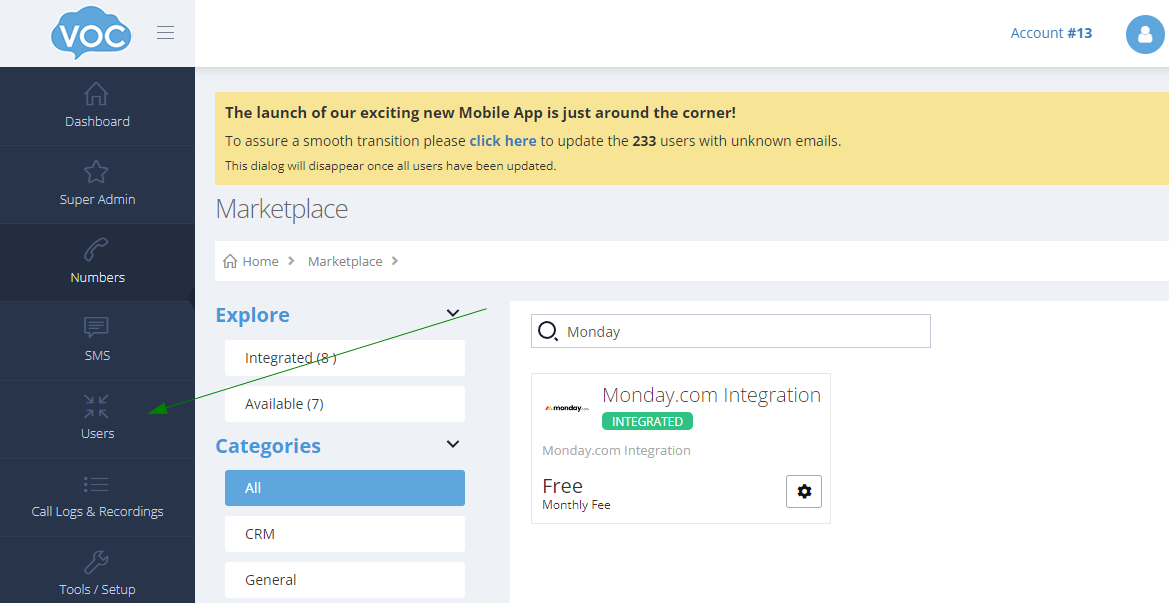
- Integrated Monday in VOCPhone Marketplace https://portal.vocphone.com/?p=marketplace.
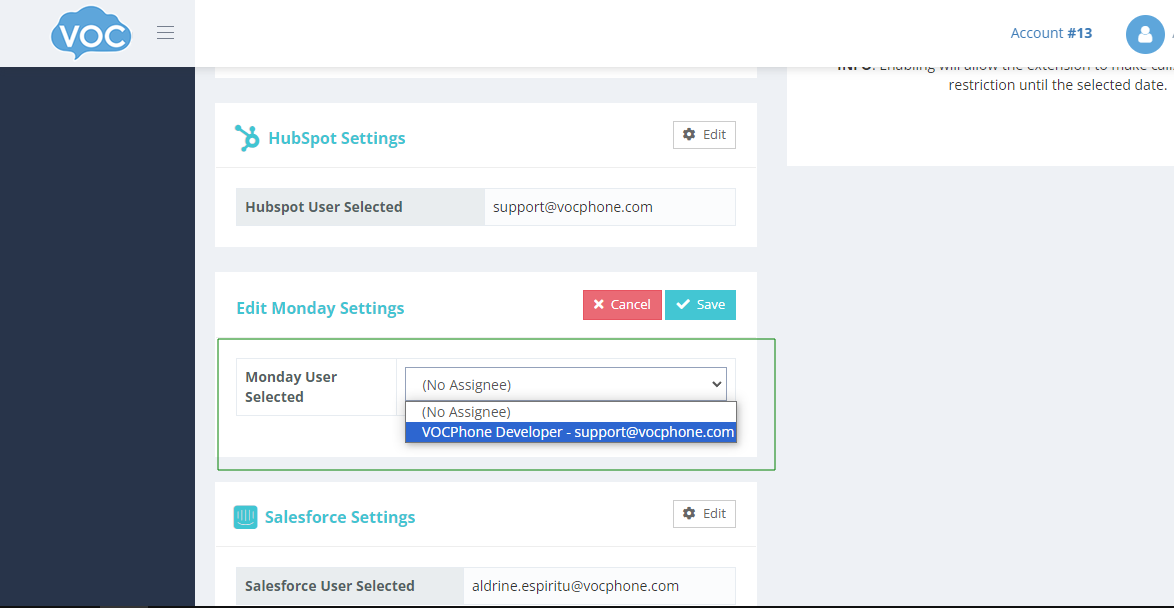
- You have to set the user(extension) that your Monday account will use to make phone calls.
¶ Setup
¶ Installing the Monday-VOCPhone App Package to your monday.com account
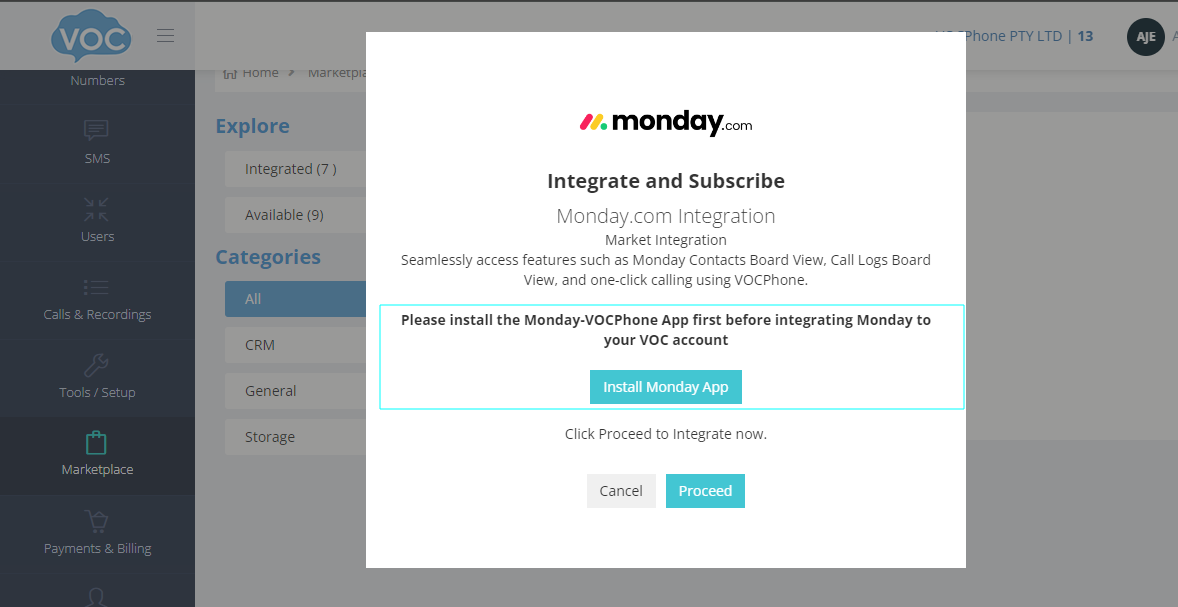
IMPORTANT! You need to install the Monday-VOCPhone app package in the subscriber’s monday.com account first before subscribing to monday.com integration in the vocphone customer portal.
IMPORTANT! You need to install the Monday-VOCPhone app package in the subscriber’s monday.com account first before subscribing to monday.com integration in the vocphone customer portal.
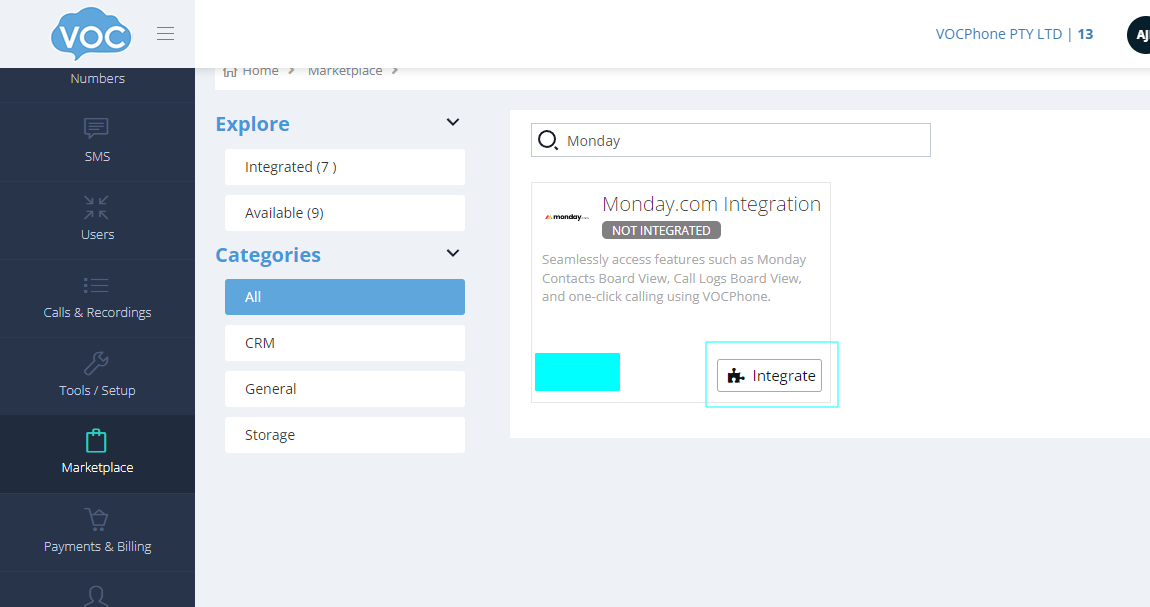
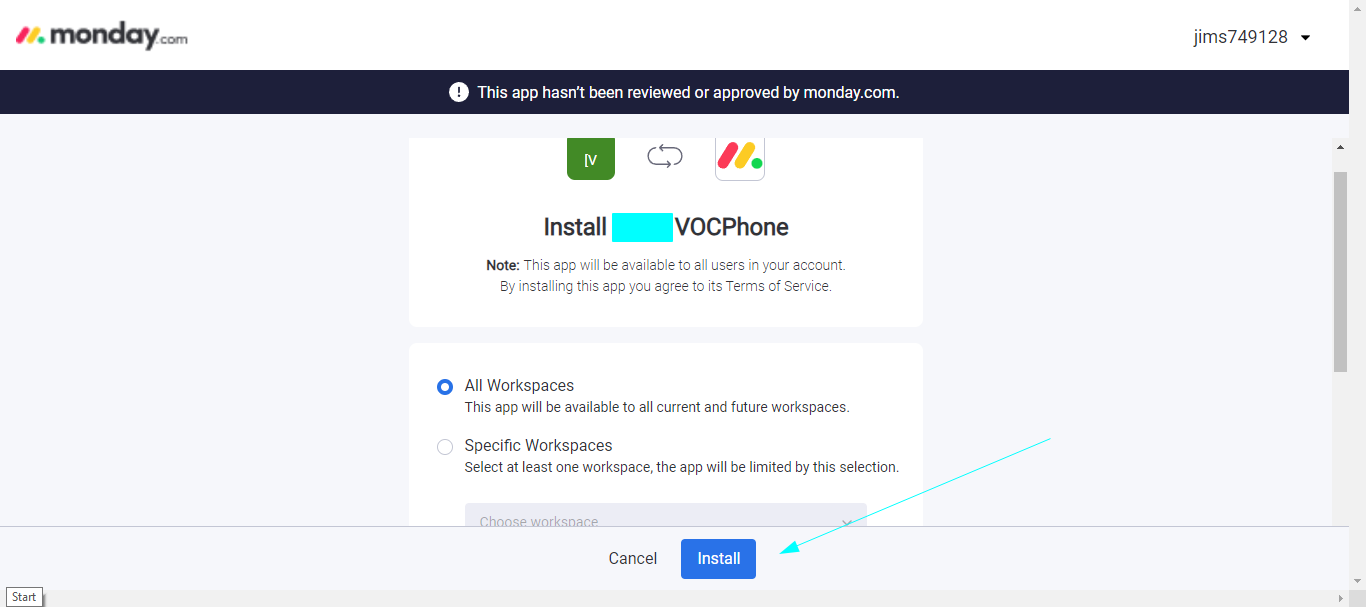
Click the “Install Monday App“ button.
This will open a new window to the app installation page to your monday.com account and click Install
¶ Subscribing to Monday.com in the VOC customer portal
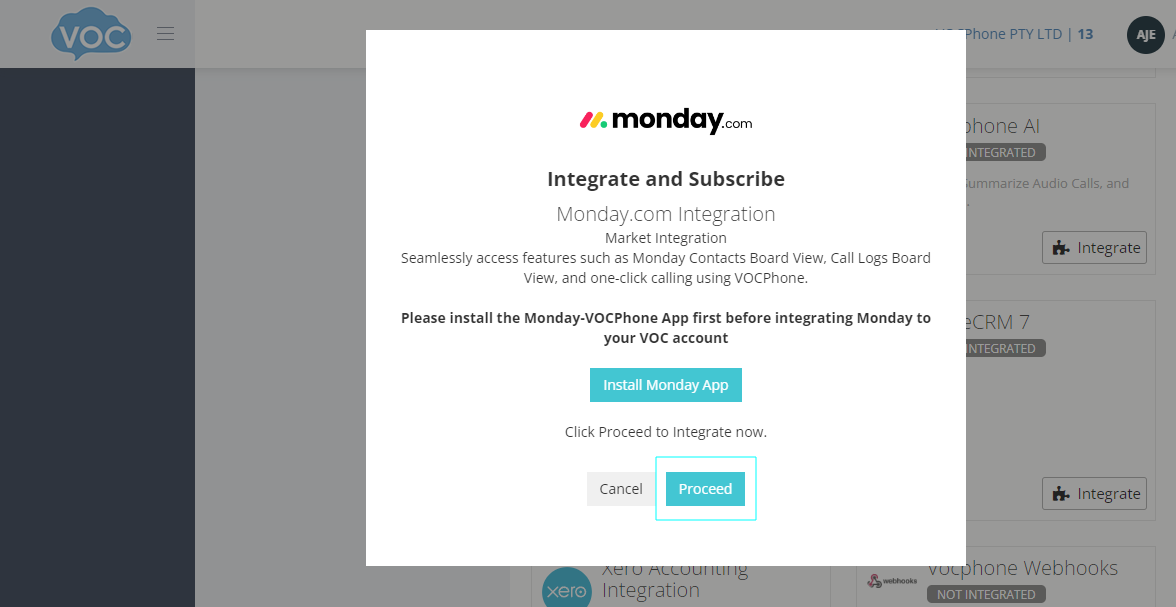
After successful app install go back to vocphone customer portal and click the Proceed button.
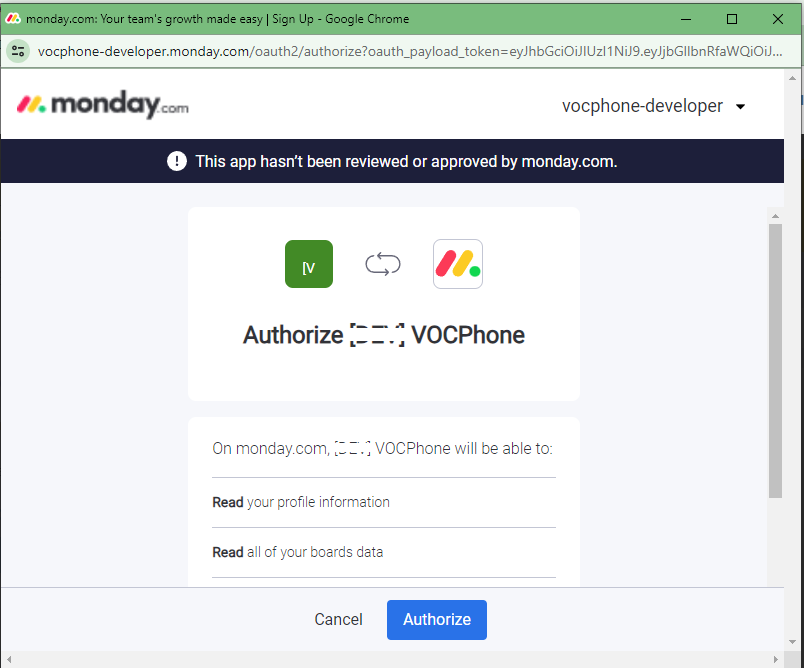
It should take you to this page where you can Authorize the integration.
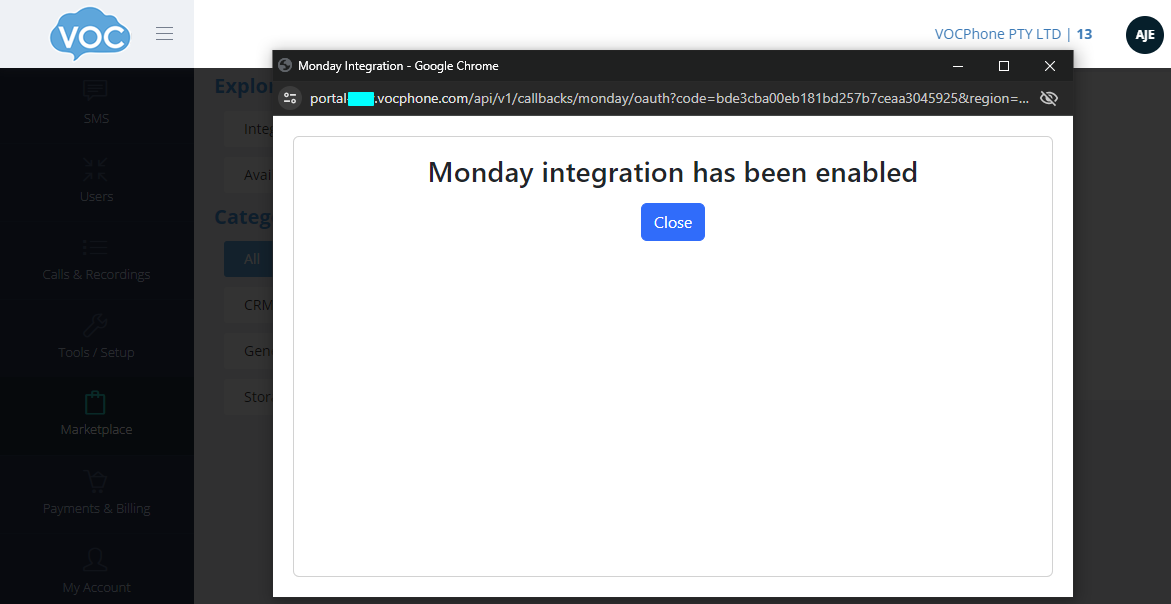
A success message should appear that the integration has been enabled and close the window.
¶ Assigning VOC user(extension) to Monday user
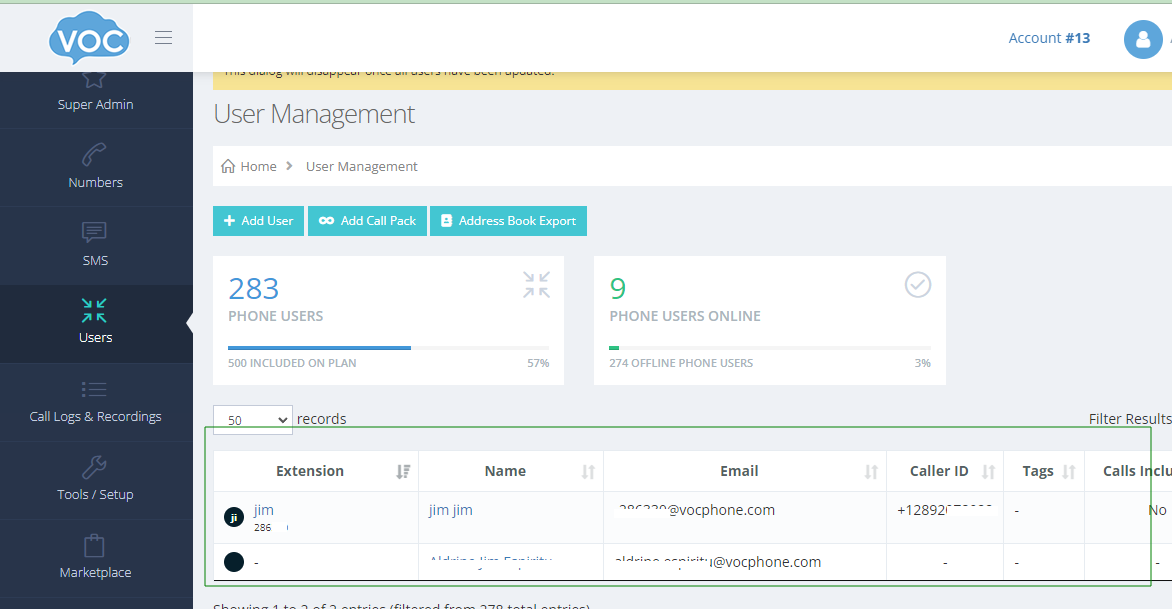
You will need to assign a voc user to your monday user to perform phone calls. Navigate to Users in your vocphone portal.
Select a Voc user you want to use for your monday account.
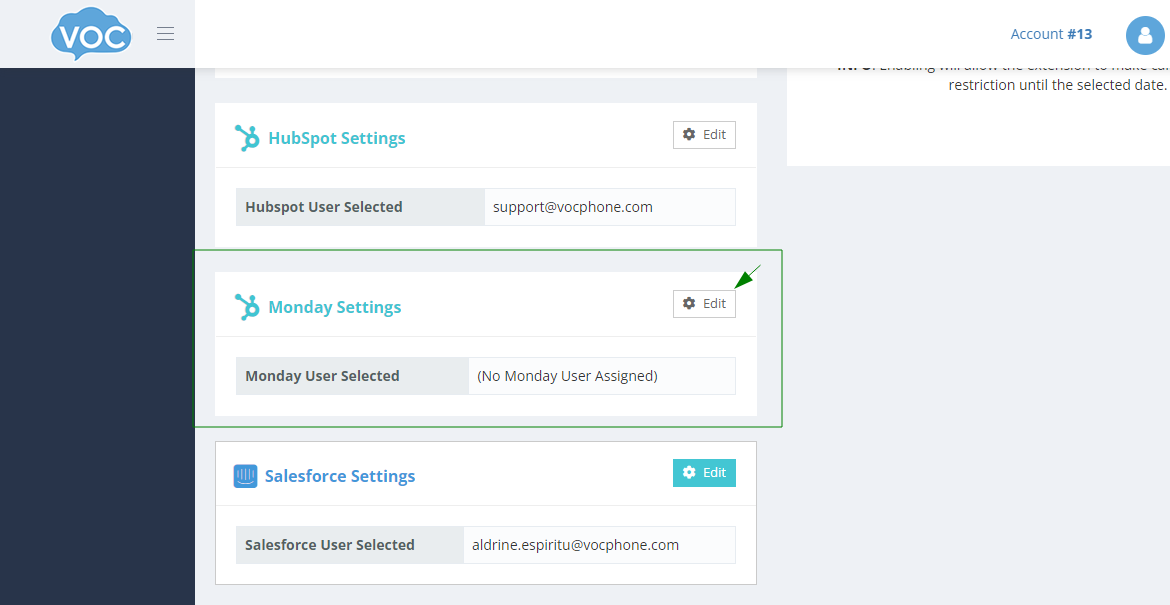
Scroll down and look for Monday Settings.
After clicking save, you should see a success message.
¶ Using the Apps
The VOCPhone package app contains 3 apps. All Contacts, Call Logs(both Board View) and Call using VOCPhone(Board Item Menu).
¶ All Contacts
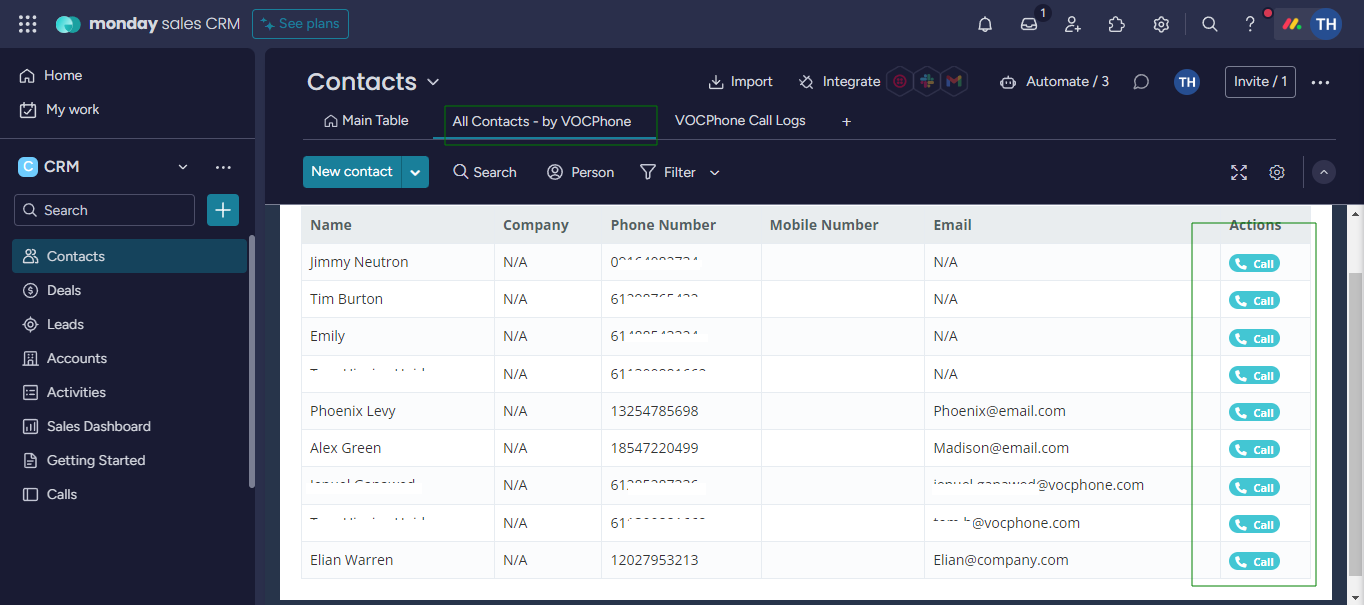
This board view contains the all contacts from your monday boards. You can also make phone calls by clicking the call button beside the contacts.
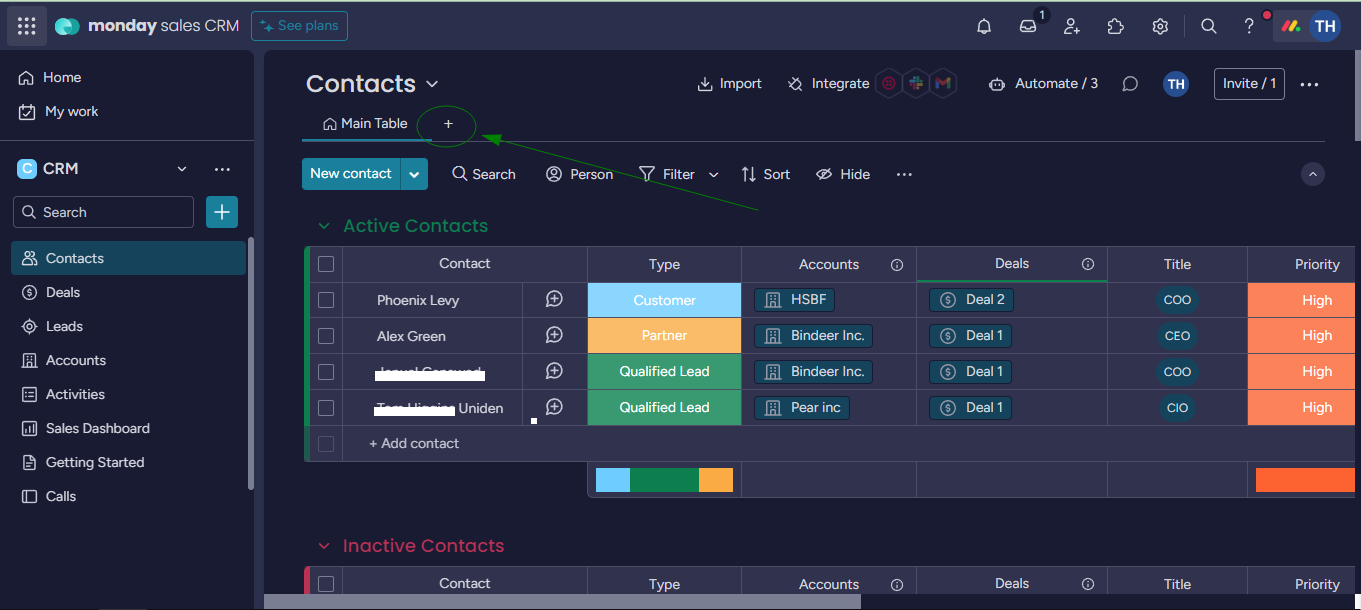
To Add this Board View, click on the + button as shown in the image below.
Call a phone number by clicking the Call Button in the Actions column
¶ Call Logs
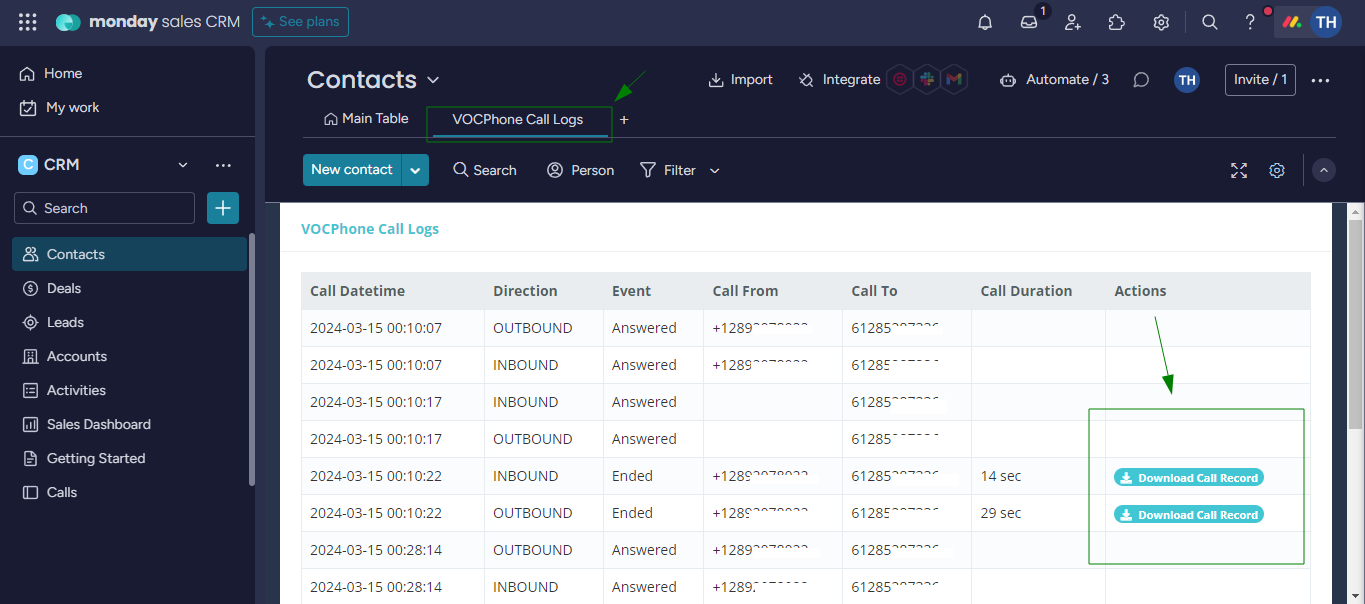
This board view contains all the call records from VOCPhone using monday CRM. You can also download the call recordings in this board view.
¶ Call using VOCPhone
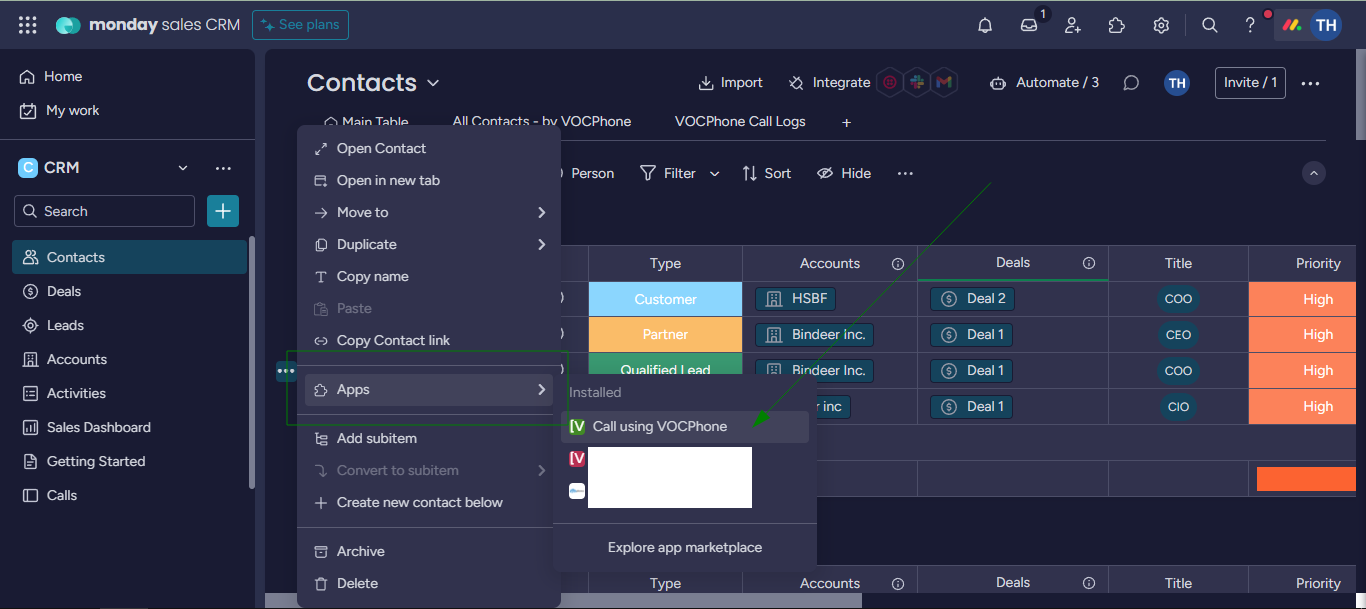
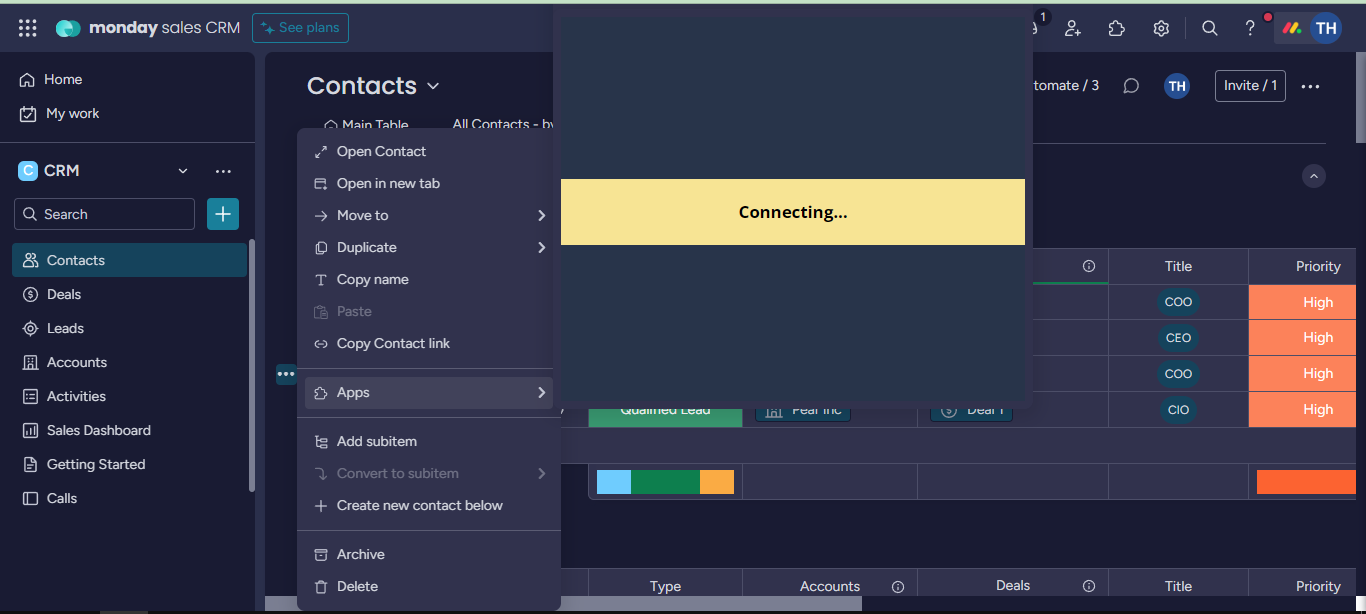
This board item menu works as click to dial for your monday board contacts.
NOTE: This will only work in items that has a phone number column in it!
Find the 3 dots button beside the item(contact).
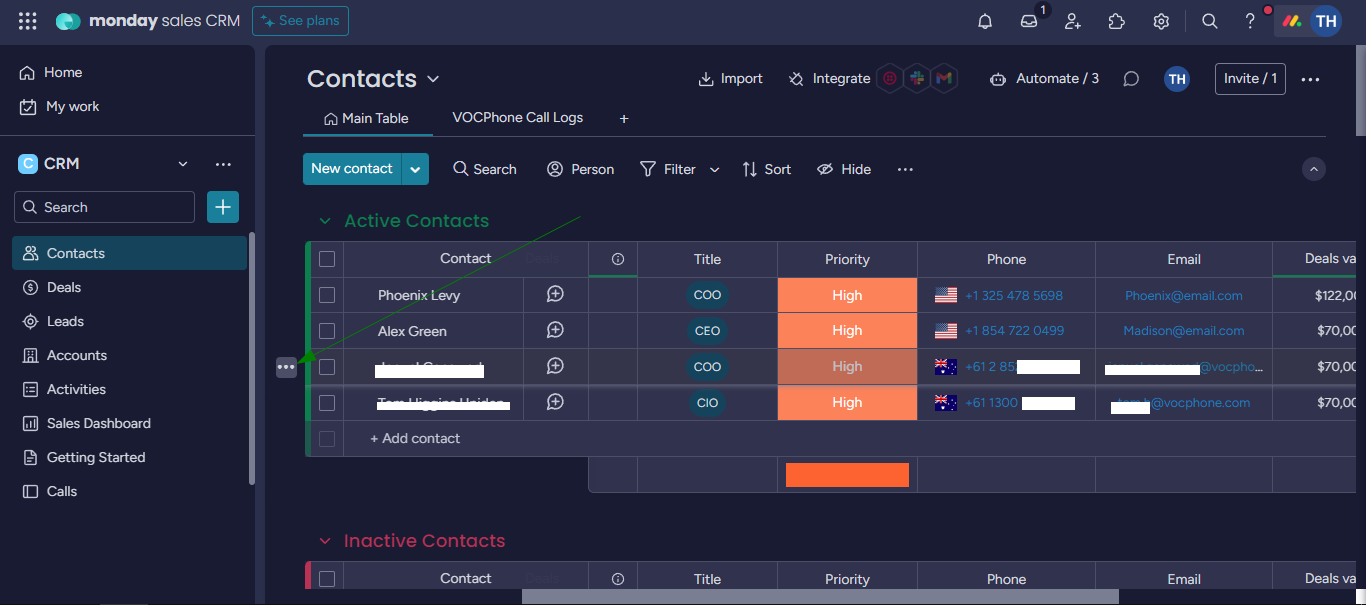
Click Apps then look for “Call using VOCPhone“