¶ Queue Wallboards
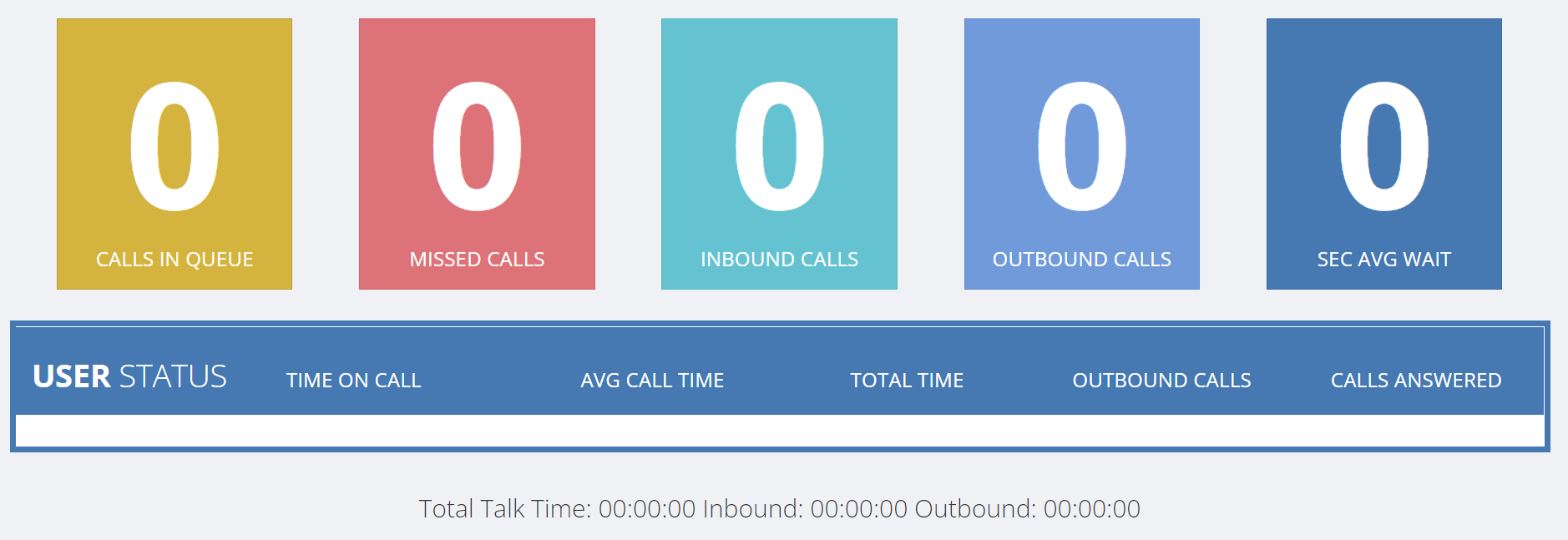
Queue Wallboards allow you to monitor your team's calls in real time. This will reset at the end of the day.
¶ Understanding Queue-Specific Metrics
The Queue Wallboard is specifically designed to monitor individual queues. It's important to understand that the numbers displayed for inbound calls and missed calls are specific to each queue you're monitoring.
¶ Inbound vs Outbound Call Tracking
- Inbound calls are tracked per queue - showing calls that came into that specific queue
- Outbound calls are tracked per user - showing all outbound calls made by users assigned to the queue, regardless of which queue they're associated with
This means the outbound call count reflects the total outbound activity of all team members in that queue.
¶ How Missed Calls are Counted
When a call flows through multiple queues, it may be counted as a missed call in each queue it doesn't get answered in.
Example scenario:
- You have a Reception Queue that overflows into a Support Queue
- A call comes in and rings in the Reception Queue
- No one answers in Reception, so it overflows to the Support Queue
- The call is answered in the Support Queue
Result: This single call will show as:
- 1 inbound call in Reception Queue
- 1 missed call in Reception Queue (because it wasn't answered there)
- 1 inbound call in Support Queue
- 1 answered call in Support Queue
¶ Important Considerations
If you are monitoring multiple queues with overflow configurations, you may see higher numbers than expected for missed calls. This is normal behavior, as each queue independently tracks whether calls were answered within that specific queue.
The wallboard accurately reflects each queue's performance, but remember that a single customer call may appear in the statistics of multiple queues if it flows through your call routing setup.
¶ Viewing Your Wallboard
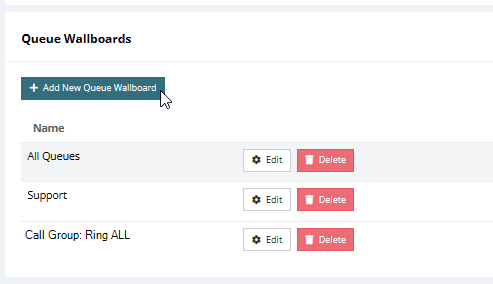
To view your wallboard, click on the queue name. This will take you to a dedicated page for that queue's real-time statistics.