¶ User Page Overview
This page provides you with the ability to manage and control individual user profiles with ease. You can view, update, and customize user information as needed. In addition, this page also allows you to add new users to the system, giving you full administrative control over user management. Whether you're adjusting settings for an existing user or onboarding a new one, this page centralises all the tools you need for user administration.
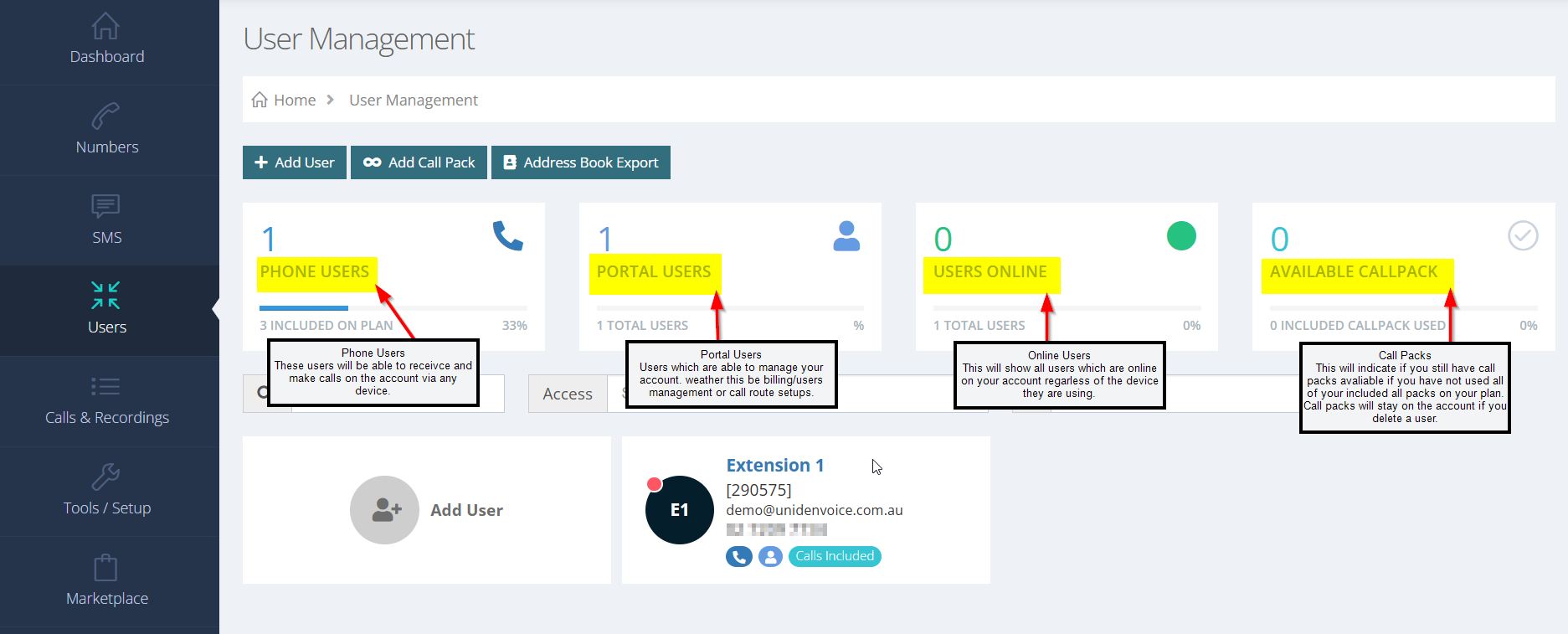
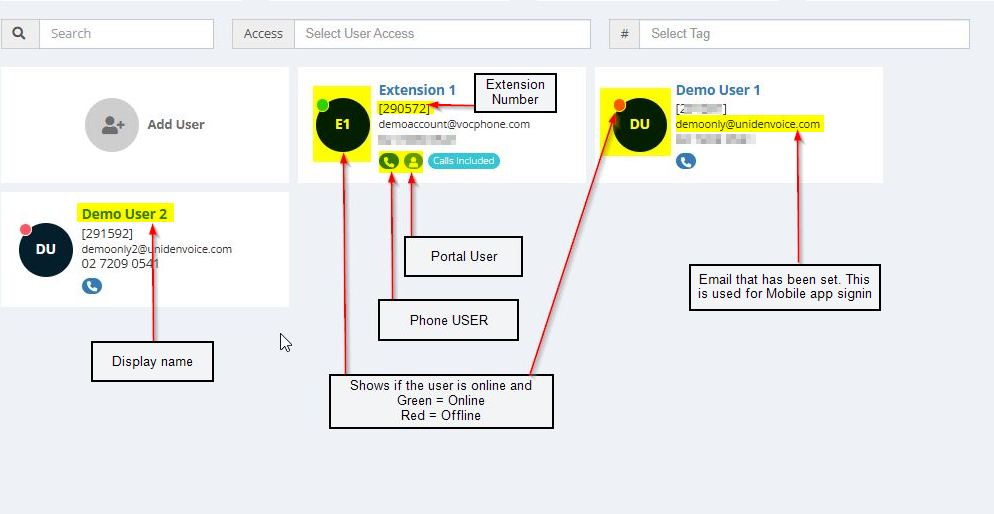
Select the user whose profile you wish to amend. This page allows you to adjust the following settings for the selected user:
User's Email Address (for Mobile App): Update the email address used for the mobile app.
User Access Level: Modify the user’s access level and permissions.
Display Name: Change the user’s display name.
Voice Call Settings: Adjust settings related to the user's voice calls.
Voicemail: Manage the user's voicemail settings.
User's Contact List / Address Book: Edit or update the user’s contact list and address book entries.
Devices: View and manage the devices associated with the user.
All changes made here will be applied immediately, giving you complete control over user profile management.