¶ Integration
To Integrate VOCPhone Webhook, go to Marketplace → VOCPhone Webhook → Integrate.
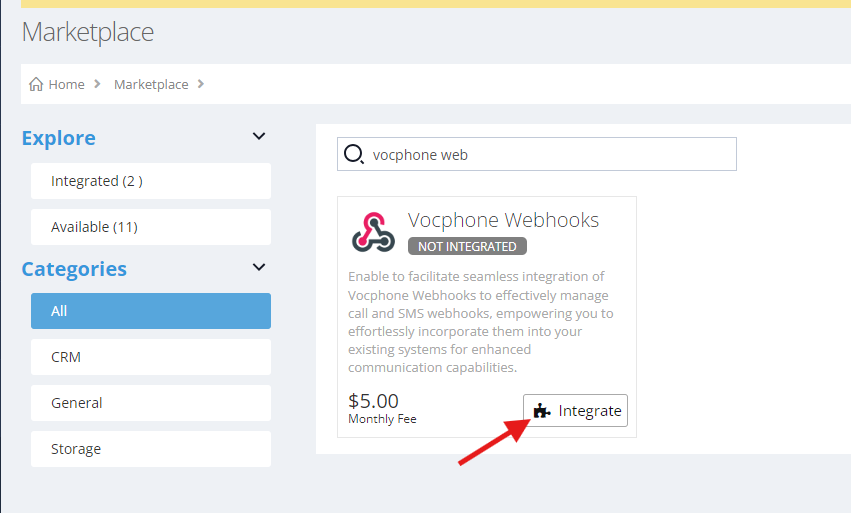
You will be presented with the charge details. If you** agree with them, you can select "Proceed" to continue. Go to manage page, Marketplace → Vocphone Webhooks → Manage
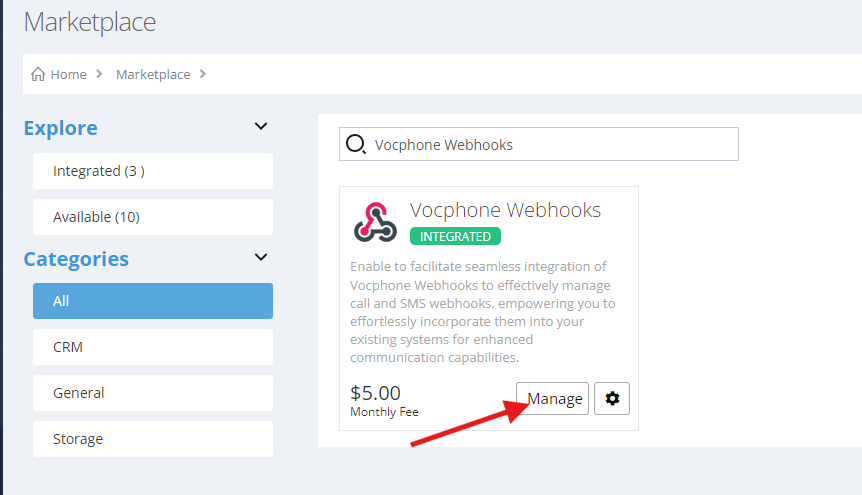
This page is where you manage webhooks for Calls and SMS.
¶ Voice Webhooks
Go to Marketplace → VOCPhone Webhooks → Manage → Voice
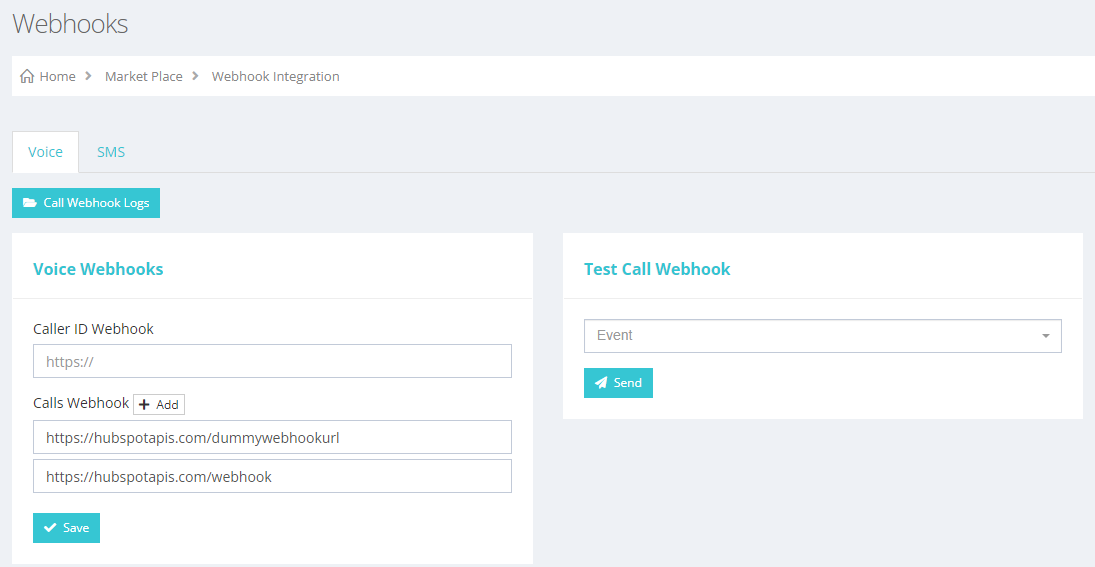
To add an endpoint under Voice Webhooks for calls, click the "Add" button. This action will trigger a POST request to the specified endpoint, including event arguments that you can utilize within your system.
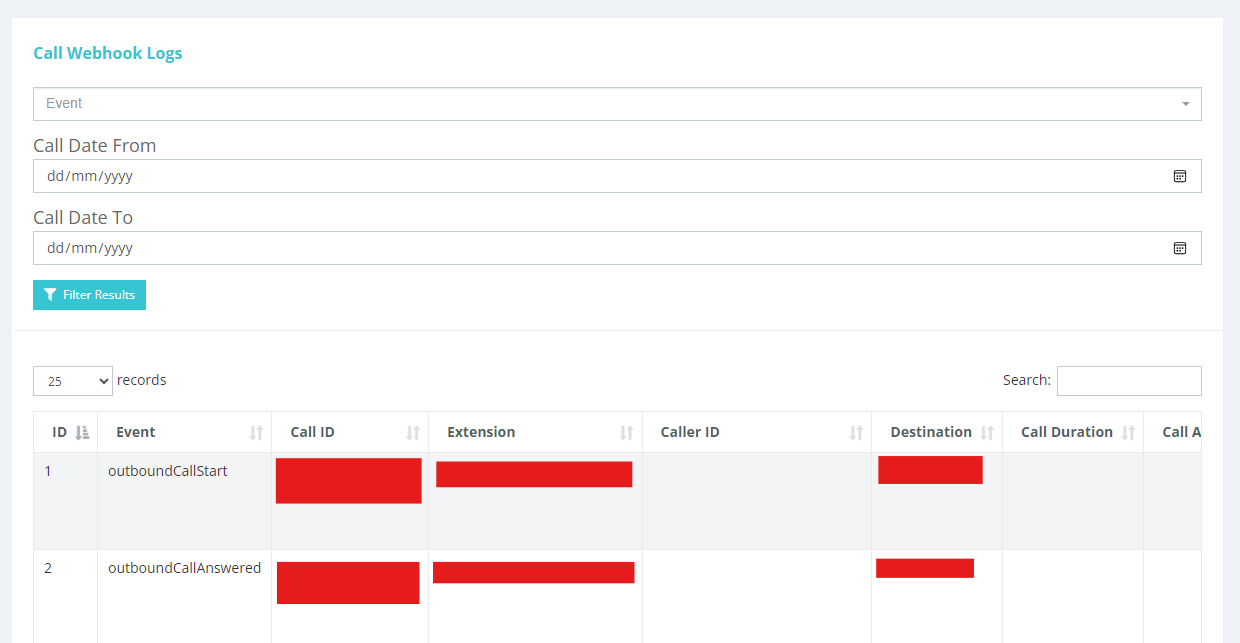
You can also check webhook call logs in the same page, just below voice webhooks.
¶ SMS Webhooks
Go to Marketplace → VOCPhone Webhooks → Manage → SMS. This is where you manage SMS webhooks.
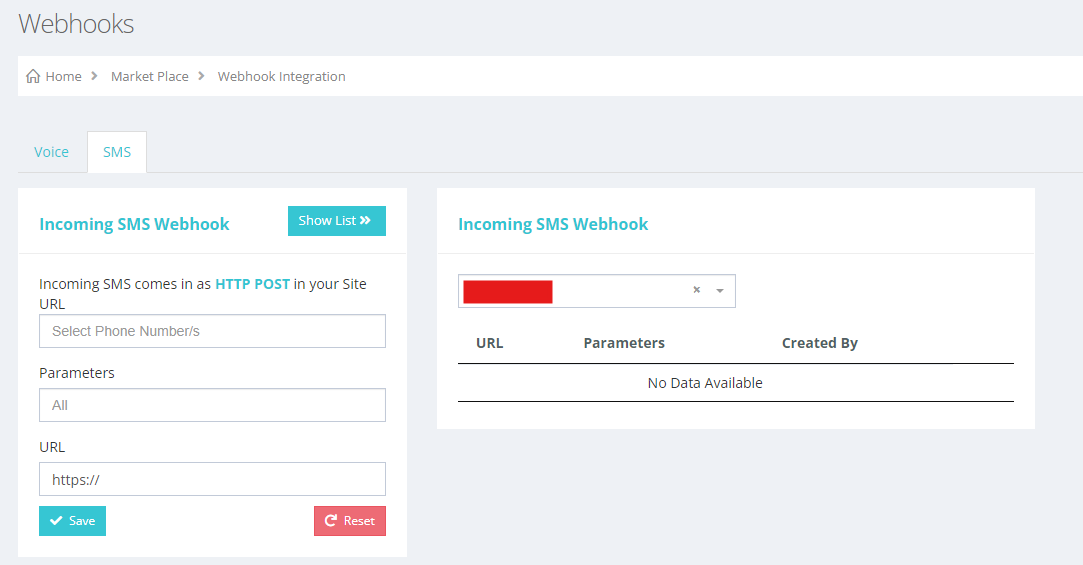
You can set webhooks for each phone number, by selecting the phone number in the input field with a placeholder “Select Phone Number/s”.
In the parameters by default, it will add all parameters to the payload of the request. Or you can select specific parameters you want.
In the URL field, this is your endpoint.