¶ NBN® FTTP Connection Box & Status Lights
Checking the status lights on your indoor nbn Connection Box (NCB) for nbn FTTP can be useful for troubleshooting.
In some circumstances our team may request you to provide us with the serial number of the Network Termination Device (NTD) to assist in troubleshooting an issue.
1. Locate the nbn NTD in your home.
The NTD can be installed several different ways depending on your building type.
The NTD is wall mounted within your home or garage.
The NTD will look similar to below.

¶ Types NBN Connection Box
| Picture | nbn® Connection Box |
|---|---|
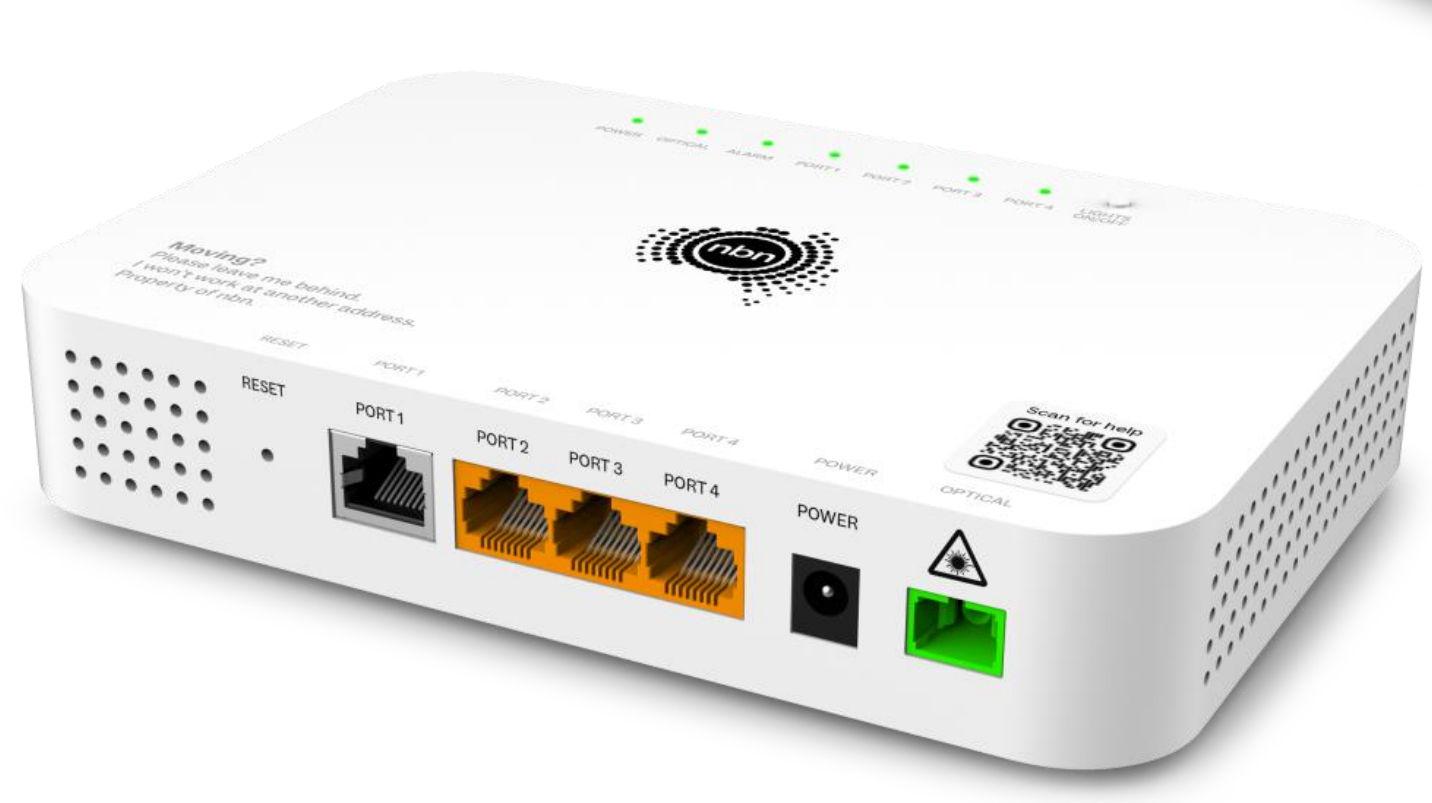 |
Current NBN models four port FTTP connection box allows you to order up to four separate services from the same or different service providers through one connection box, and connect up to four routers. |
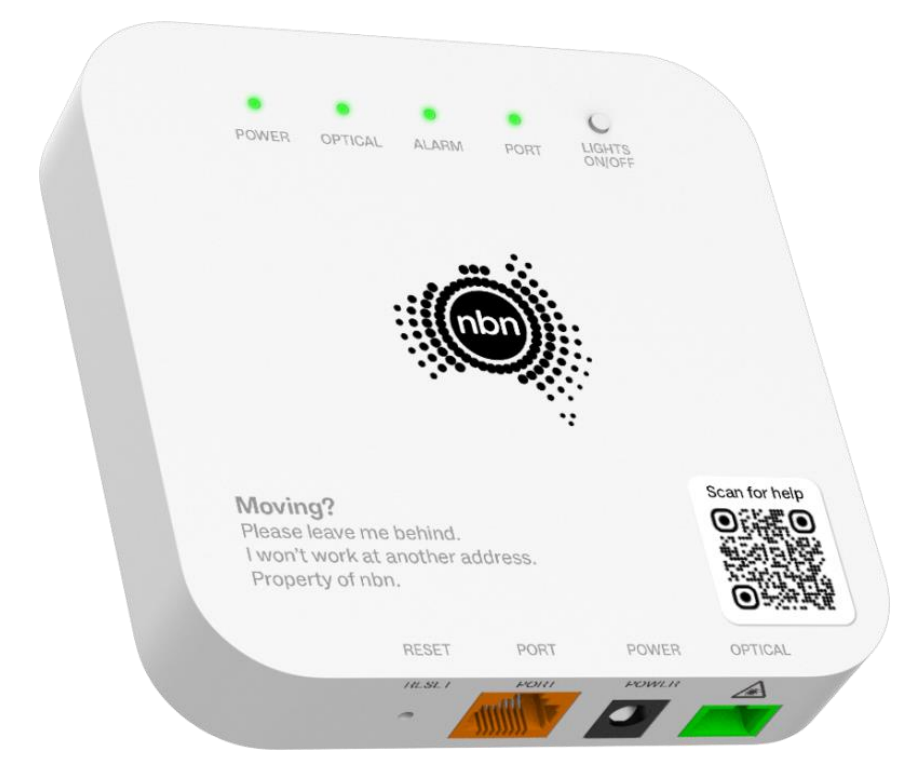 |
Current NBN models 1 NBN connection allowed. Supplied from 14 September 2025 |
 |
Original model Supplied before 14 September 2025 |
¶ Are the lights behaving strangely?
If you're seeing some really unusual behavior such as the lights for empty ports flashing, have there been recent lightning storms in your area?
If you think your NCB, cables or other nbn equipment have been affected by a lightning strike, please call us on 1300 881 662
¶ Current nbn® FTTP Connection Box models
Most premises will get a one-port NCB, and select premises will get a 4-port NCB.
There are 2 different models of each, and they both have the same status lights – the only difference between them is the location of the power port.
¶ Opening the cover
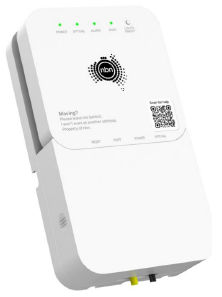
- If your NCB has the current wall bracket (shown below) then you can always see the lights. To access the ports, you can open the cover from the left side.
- If your NCB has been fitted into an original wall bracket, the cover opens from the base.
¶ nbn® FTTP Connection Box Status Lights
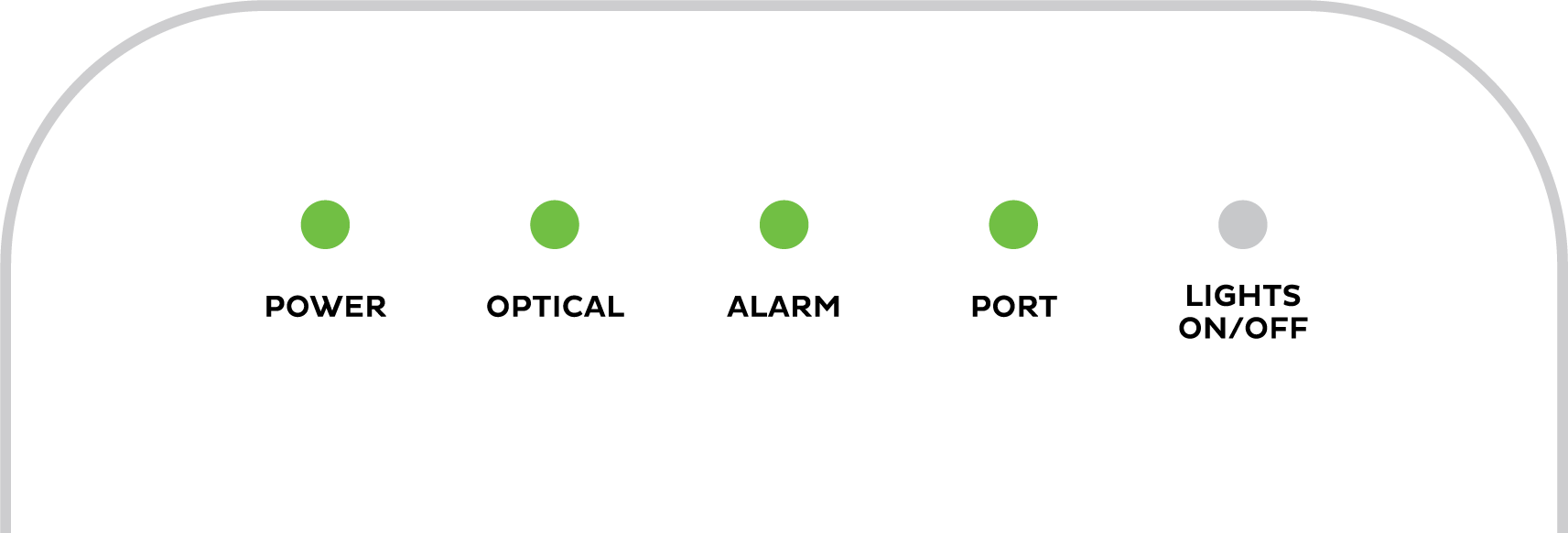
Are all the lights off? Press the LIGHTS ON/OFF button to turn the NCB lights back on. When this button is used to turn lights off, they’ll stay off even if the NCB is restarted.
| Light | States and meaning | |
|---|---|---|
| Power | Off = No power, or NCB lights are turned off. Press the LIGHTS ON/OFF button to turn the NCB lights back on. Green = Your NCB has power. This light flashes when your NCB is starting up or downloading software. |
|
| Optical* | Off = Your NCB is disabled. Please call us on 1300 881 662 (9AM-5PM Mon-Fri) as we'll need to lodge a ticket with nbn®. Green = Successful network connection. This light flashes during connection activity. Red = No connection to the network. Try troubleshooting. |
|
| Alarm | Off = No issues detected. Red = Issue detected. Try troubleshooting. |
|
| Port | Off = Nothing is plugged into this port. Green = A device is plugged in. This light will flash during data transfer. |
|
*If you have a 4-port NCB:
- Your Optical light may be green (GPON mode) or blue (XGS-PON mode). If the light is alternating red/green/blue, please call us on 1300 881 662 as we’ll need to get your NCB activated.
- You’ll have 4 numbered Port lights to show connections to each port.
¶ Original nbn® FTTP Connection Box model
Lifting the cover

If your NCB has a cover, it opens by lifting the cover upwards from the base.
Once the cover is lifted, you'll see the status lights at the top of the NCB and the ports are on the bottom.
nbn® FTTP Connection Box Status Lights

| Light | States and meaning | |
|---|---|---|
| Power | Off = No power. Green = Your NCB has power. It's normal if this light looks more orange/yellow than green. Red = Using backup battery power from the Power Supply unit (if you have one). |
|
| Optical | Off = Your NCB is disabled. Please call us on 1300 881 662 (9AM-5PM Mon-Fri) as we'll need to lodge a ticket with nbn®. Green = Successful network connection. This light flashes during connection activity. Red = No connection to the network. Try troubleshooting. |
|
| Alarm | Off = No devices connected. Green = No issues detected. Red = Issue detected. Try troubleshooting. |
|
| UNI-D 1/2/3/4 | Off = Nothing is plugged into this port. Only one UNI-D port is active for each nbn service - usually UNI-D 1. If you don't know which UNI-D port to use, call us on 1300 881 662 (9AM-5PM Mon-Fri) and we'll help you. Orange = A device capable of up to 1000Mbps is plugged in. This light will flash during data transfer. Green = A device capable of up to 10/100Mbps is plugged in. This light will flash during data transfer. |
|
| UNI-V 1/2 | Off = There is no nbn Fibre Phone service, or it's not currently being used. Note: Fibre Phone is no longer sold as of 15 May 2024. Green = One or more nbn Fibre phones are off the hook (typically because they are being used). This light flashes if the phone has been off the hook for more than an hour. |
|
| Update | Off = It's normla for this light to be off. Green = Your NCB is currently downloading an update with no issues. Red = Your NCB has failed to download an update. Please call us on 1300 881 662 (9AM-5PM Mon-Fri) as we'll need to lodge a ticket with nbn®. |
|

Where to find your nbn FTTP Connection box Serial Number
2. Locate the NTD Serial Number
The NTD serial number is located on the information label on the bottom right hand side of the NTD unit See Below Image.

Take care not to disturb the incoming fiber cable (shown in green).
The serial number will begin with “ALCL“.